Products change often. Many teams ship new versions daily, so we need to know quickly whether everything still works. We could run the tests by hand before every release. Or we could automate that.
How does CI/CD help with test automation?
CI/CD runs your tests automatically on every change, so nobody has to remember to.
Tell developers “run the tests manually” and they’ll do it a few times, then find excuses. A full run often takes more than an hour, so I get it.
We don’t want to merge untested code, ever. We want unit, integration and end-to-end tests (if you have all three) to run without extra work from the author.
Don’t make the process depend on you alone. Continuous processes require developers to know how to maintain the tests, which is close to knowing how to write them. We’re all responsible for the quality of one product. Who said only testers can write E2E tests? Anyone on the team can.
Finally, CI/CD can block a deployment when a suite fails. The author then fixes the feature, or updates the tests if the change legitimately affected them. This only works with deterministic tests, and those are hard to get.
How long should a test suite take to run?
Aim for 10-20 minutes for the core tests. This is a rule of thumb, not a measured law. The anchor is the ten-minute build that Martin Fowler describes as the extreme programming guideline for continuous integration: slower than that and people stop waiting for the result and move on. I allow end-to-end tests more room than unit tests because browsers are slow, which is how I get to 10-20. If your suite takes one or two hours, as I’ve often heard, that is too long. Parallelisation is the way to get down.
There are two kinds:
- run tests by groups,
- run multiple tests at a time.
Run tests by groups
Split the tests by group and criticality. I wrote about this in What is smoke, sanity, regression testing? How to CI/CD with them. There I split tests by type, and you can run the groups one after another.
A pipeline could look like this:
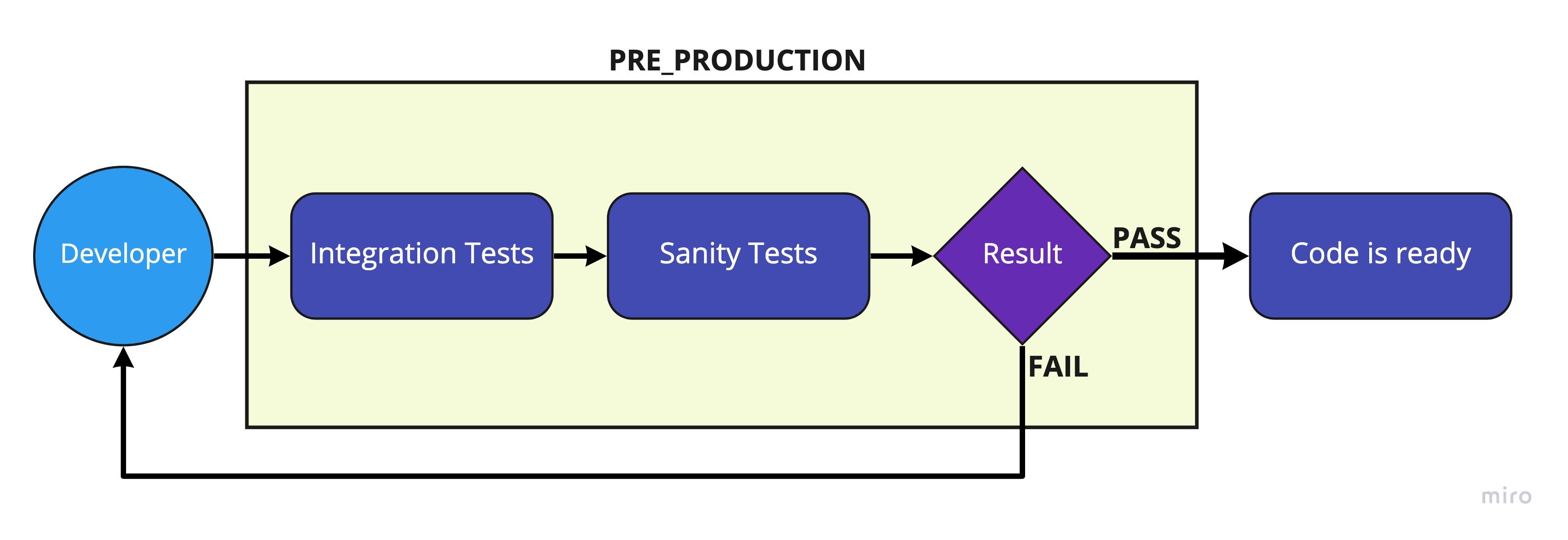
This way the most important user flows are always checked first. The less important ones can run later, even on production, as long as you know something there could be broken. You protect time to market and still check everything.
Run multiple tests at a time
Use parallel nodes. Most tools run one test, then the next. With a strong machine and tests that don’t depend on each other, you can run several at once.
Knapsack Pro is one tool built for this. It splits tests across nodes to get the best execution time.
If you use Playwright, parallelism is built in. Test files run in parallel across worker processes by default, fullyParallel: true in the config also parallelizes tests inside a file, and --shard splits a suite across machines:
npx playwright test --workers=4
npx playwright test --shard=1/3   # run on machine 1 of 3
Parallel tests must not depend on each other or share data. Two tests that edit the same user account will pass alone and fail together, which is the usual source of flaky runs. See six things to consider when designing a test architecture for test data and isolation.
Who should know how the tests work?
Everyone. When a suite fails, you can monitor it and dig into the cause yourself, or you can make it easy for people to see what happened. I prefer the second.
Anyone who works on the software should be able to write, maintain and fix its tests. Drop the stereotypical split between testers and developers. You’re one team delivering one product.
Automatically generated reports help too. When business and other stakeholders can see what the tests cover, they trust the tests more, and trust is what you need.
Conclusion
Deliver the best quality you can in a reasonable time. People won’t run tests manually, so automate them with CI/CD. Add parallelisation to protect time to market.
Spreading knowledge about tests makes more people feel responsible for them. If something fails, someone on the team fixes it. The more people work on the tests, the better they get.
Which tests run on each deploy, and which run later, is covered in smoke vs sanity vs regression testing. For the long-running end of the scale, see load testing types with k6. And where the tests live in the repository affects how they run in the pipeline: same repository or separate.